E-Commerce integration
E-commerce is one of the premium features in Mailchimp for WordPress Premium.
It connects your WooCommerce store with Mailchimp so you can recover more revenue, target subscribers based on purchases, and automate follow-up campaigns with real order data.
Used on 2M+ WordPress sites and backed by our 30-day refund policy.
Sync products, customers and orders
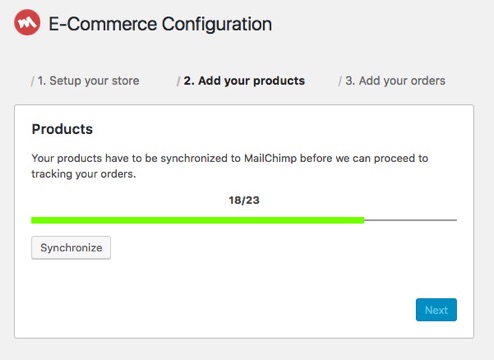
Quickly synchronise your existing WooCommerce products, customers and orders with Mailchimp.
After the initial sync, new and updated store data is sent automatically in the background.
Track campaign revenue with confidence
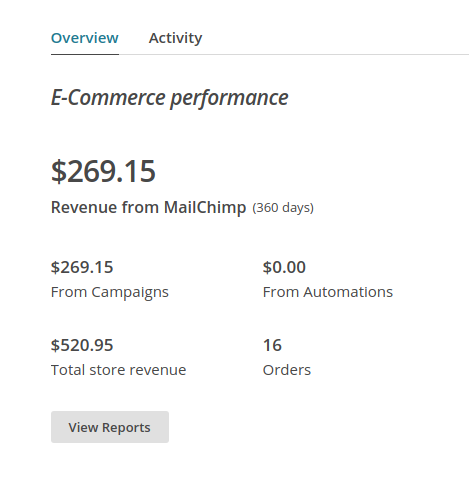
See exactly how much revenue each Mailchimp campaign generates for your WooCommerce store.
Order tracking tells Mailchimp which campaign brought the customer in, so your reporting reflects real business impact.
Recover abandoned carts
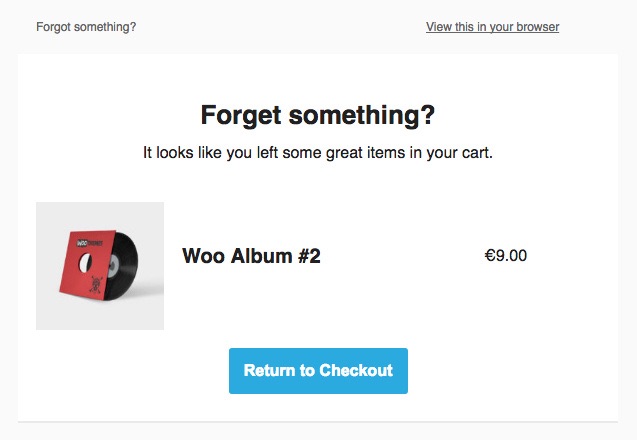
When a visitor adds products to their cart, the plugin sends cart activity to Mailchimp.
If they leave without checking out, you can trigger abandoned cart emails to bring them back and recover the sale.
You can also sync WooCommerce coupons as Mailchimp promo codes for coupon-driven recovery flows.
Build smarter audience segments
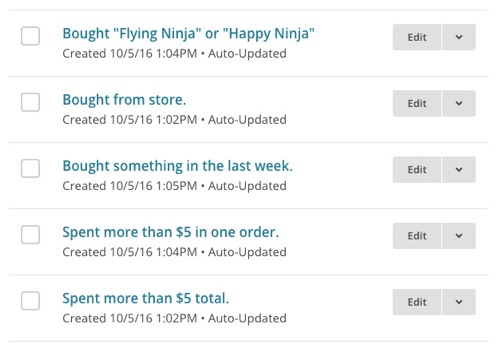
With purchase data in Mailchimp, you can segment subscribers by buying behavior, order history and customer value.
This makes it easier to send relevant campaigns instead of broad, one-size-fits-all emails.
Recommend products to your subscribers
Once Mailchimp knows your products and order history, it can recommend items each subscriber is most likely to buy next.
That helps you improve click-through rates and increase repeat purchases from existing customers.

Need setup details or troubleshooting steps?
If you are evaluating implementation effort, these guides show exactly how the integration works.
Get started with Mailchimp for WordPress Premium
More email subscribers or better email campaigns? Our Premium plugin will do both for you.
Setting
up the plugin takes no more than a few minutes.
Upgrade Now or Download Free Version
We have a 30-day refund policy, so you can try without any risk.